
Download TPV Supermercados – supermarket cash register, sales management, invoice generator, delivery note, inventory tracker, POS system, retail management
Overview
TPV Supermercados is a specialized mobile application designed to enhance the operational efficiency of small to medium-sized supermarkets. Its primary purpose is to serve as a comprehensive point-of-sale (POS) system that streamlines cash register functions, enabling retailers to manage sales, generate documentation, and monitor inventory in real time. The app addresses common challenges faced by retail businesses, including slow checkout processes, inaccurate record-keeping, and inefficient stock replenishment. By integrating core retail functions into a single platform, TPV Supermercados helps reduce human error, improve customer service, and support data-driven decision-making.
Target users include supermarket owners, cashiers, and retail managers who require a reliable and accessible tool for daily operations. The app is particularly beneficial for businesses seeking a low-cost, scalable solution to replace outdated or manual systems. Real-world use cases include processing customer transactions during peak hours, issuing delivery notes for wholesale orders, generating invoices for business clients, and tracking inventory levels to prevent stockouts. In the broader app ecosystem, TPV Supermercados fills a niche for productivity-focused tools tailored to the retail sector, offering a streamlined alternative to complex enterprise software.
Although the developer did not provide additional technical details about the company’s background or history, the app’s longevity—first released in 2013—suggests a stable and functional product with proven reliability. Its continued availability as a free tool underscores its value as an accessible resource for small retailers operating on tight budgets. The app’s focus on core retail functions reflects a user-centric design philosophy aimed at practicality over complexity.
Key Features & Functionality
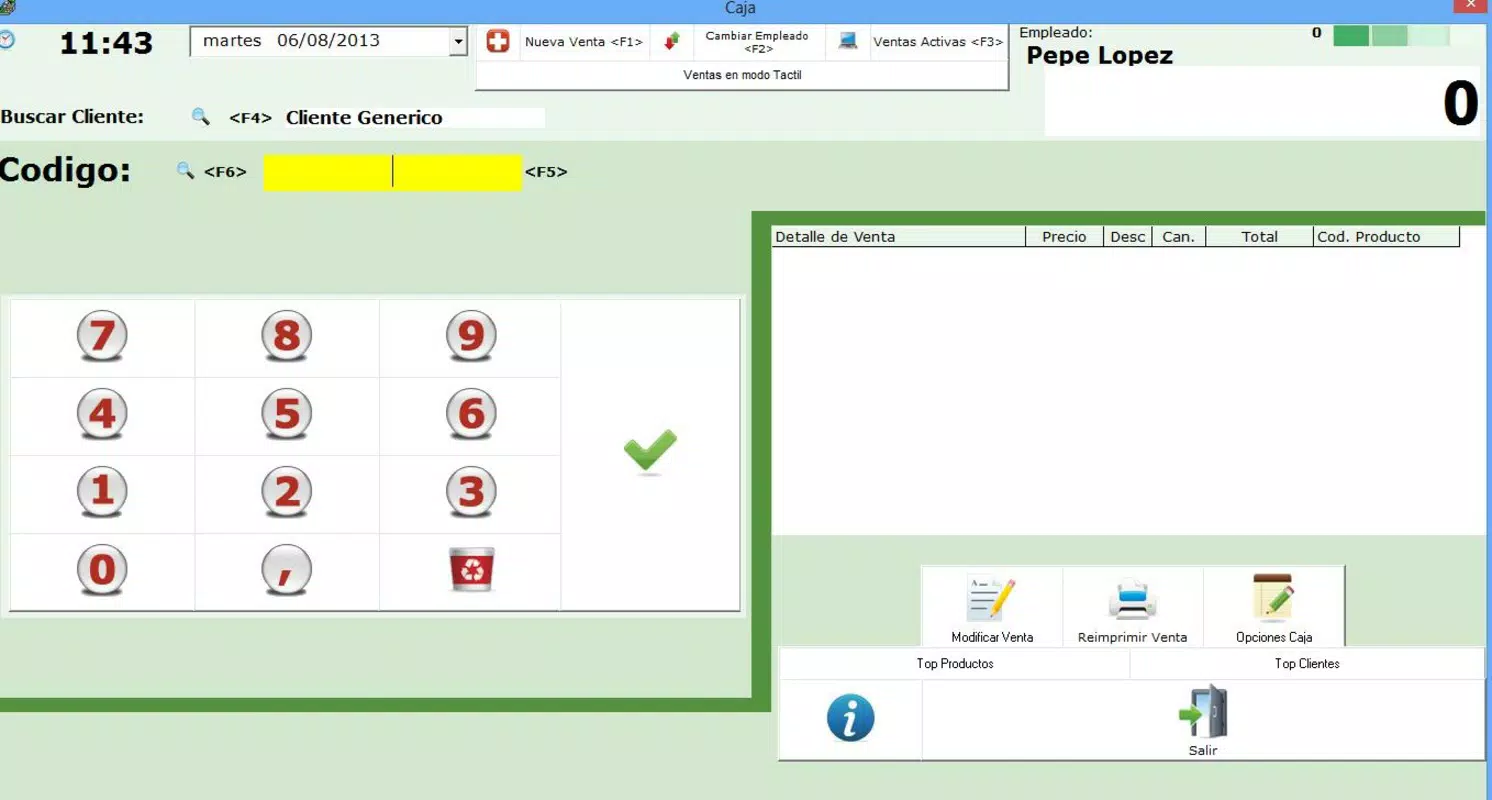
- Sales Management: Process customer transactions efficiently with support for multiple payment methods, including cash, card, and digital payments. This ensures a fast and flexible checkout experience, reducing wait times and improving customer satisfaction.
- Invoice and Delivery Note Generation: Create professional invoices and delivery notes directly within the app. These documents can be saved, printed, or shared digitally, supporting transparent and organized client communication.
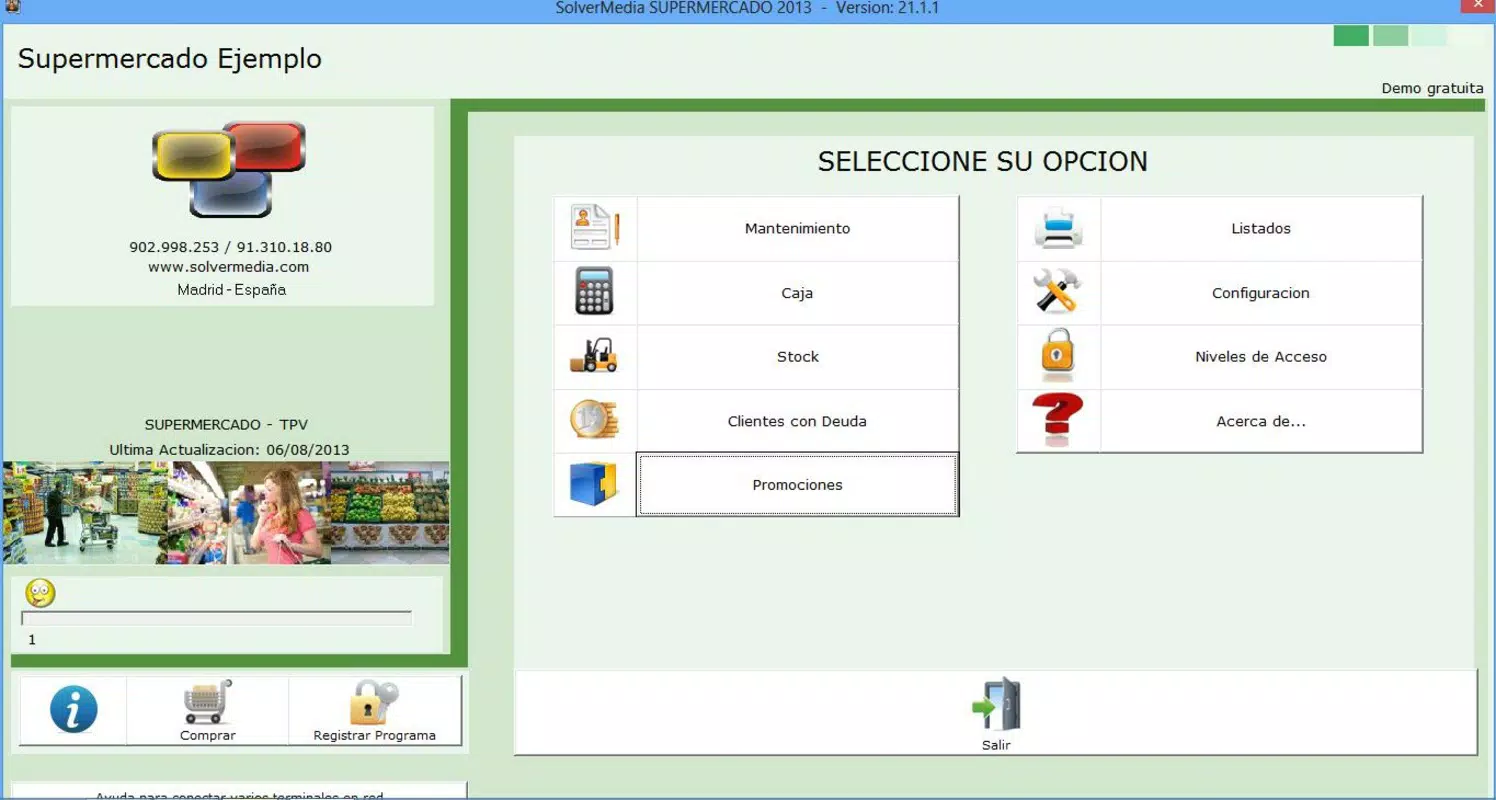
- Promotions and Discount Management: Set up time-limited offers and discounts with defined start and end dates. This feature supports targeted marketing campaigns to attract more customers during key sales periods.
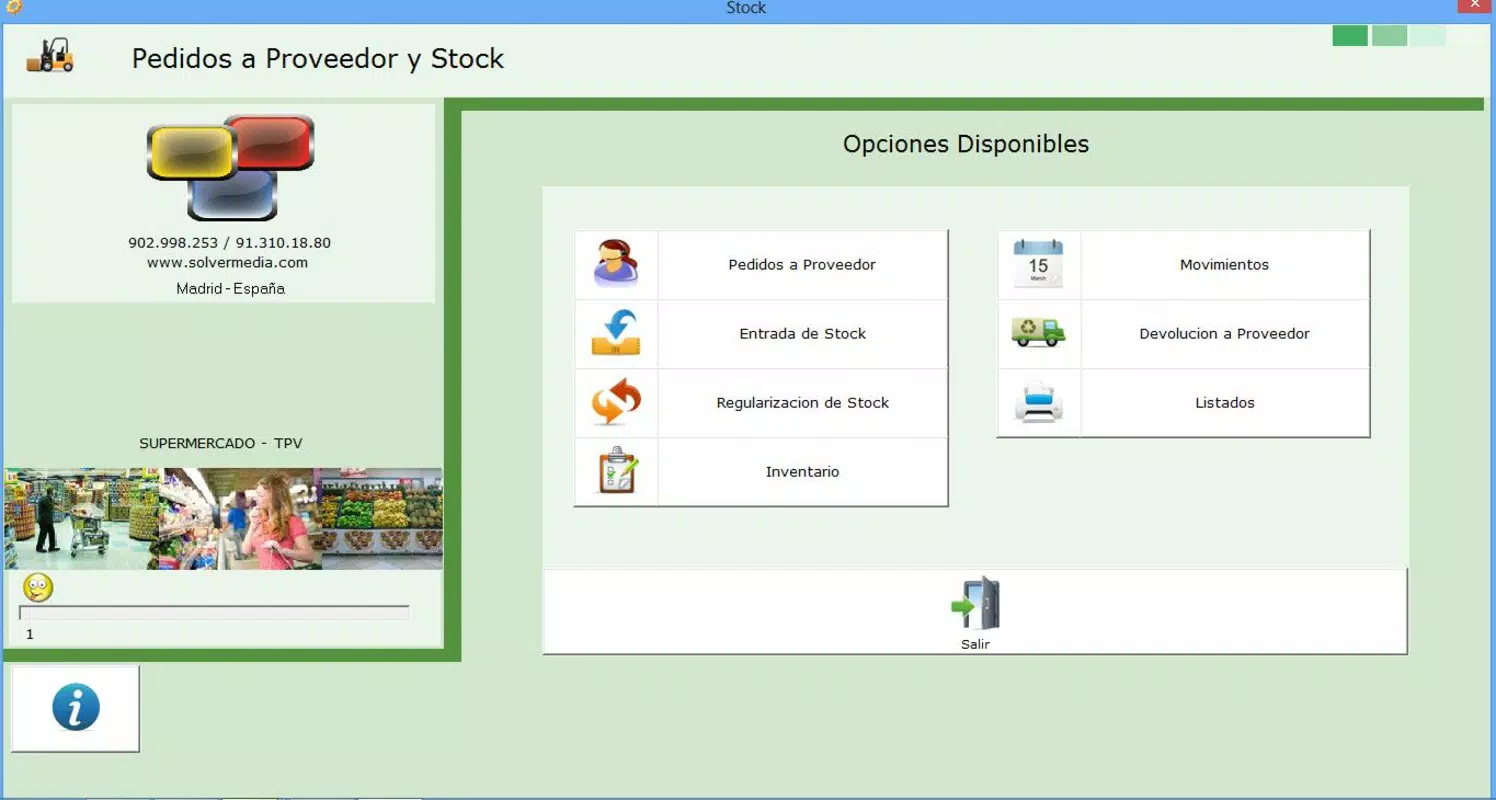
- Real-Time Stock Management: Monitor inventory levels in real time, allowing users to track product availability and avoid both overstocking and stockouts. This functionality supports better purchasing decisions and improved supply chain coordination.
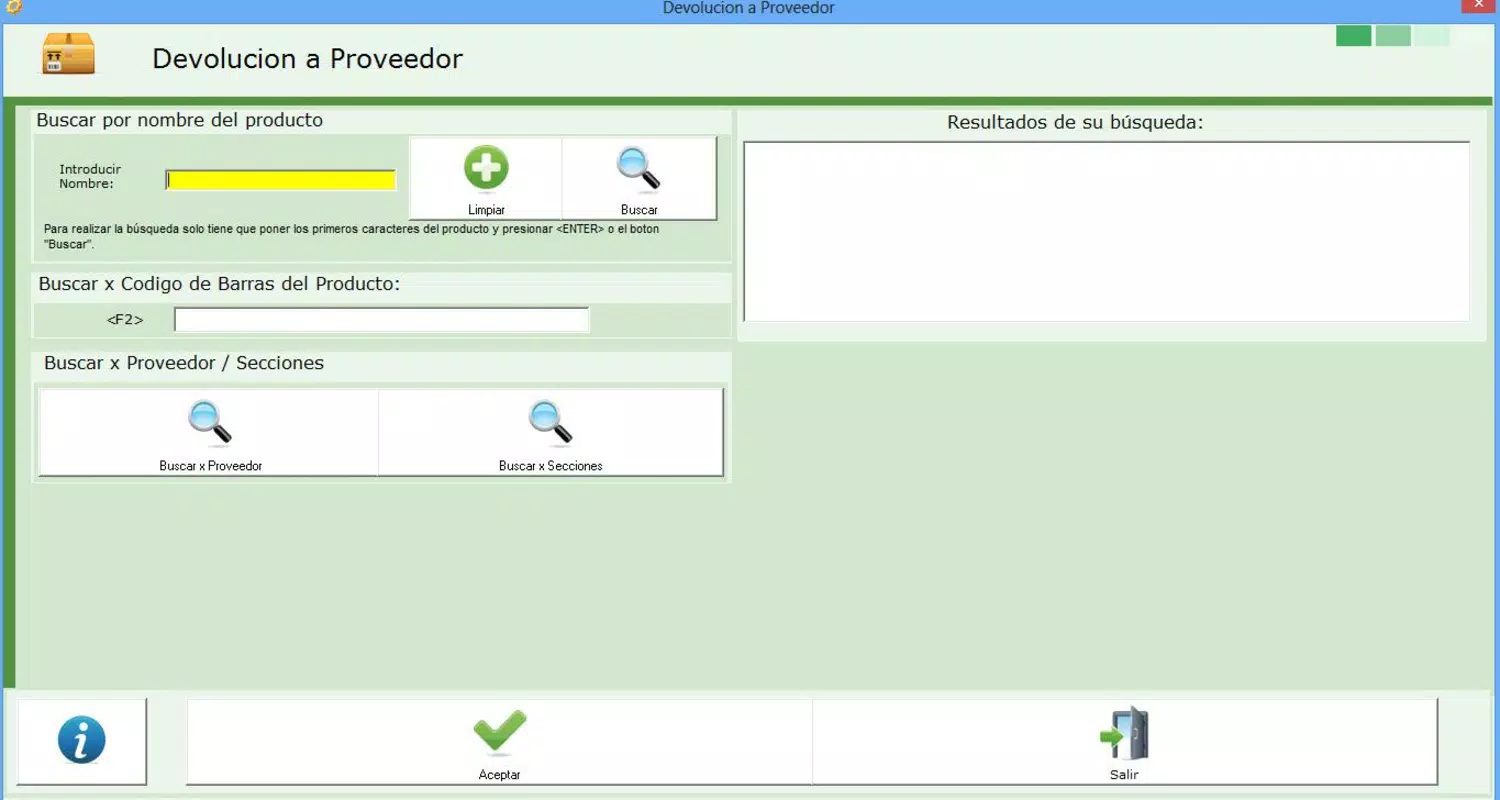
- Supplier Order Integration: Place reorders with suppliers directly through the app, streamlining the restocking process. This reduces manual effort and helps maintain consistent product availability on shelves.
For example, a supermarket manager can use the app to process a morning rush of customers, generate an invoice for a wholesale client, apply a weekend discount promotion, and check stock levels for a popular product—all within minutes. The integration of these features into a single interface enhances workflow continuity and reduces the need for multiple tools.
Interface, UX & Performance
The user interface of TPV Supermercados is designed with functionality and clarity in mind. The layout prioritizes ease of access to core features such as sales processing, inventory checks, and document generation. Navigation appears to be intuitive, with a logical flow between screens, allowing users to perform tasks without extensive training. Visual design elements are clean and minimal, focusing on usability over decorative elements, which is appropriate for a productivity-focused application.
Although the developer did not list formal performance metrics, the app’s long-standing presence on the Android platform suggests a stable and responsive experience across a range of devices. It is expected to function efficiently on mid-range smartphones and tablets commonly used in retail environments. The app’s lightweight file size of 18.5 MB further supports quick installation and minimal resource consumption, which contributes to smooth operation even on older hardware.
Responsiveness and stability are critical for retail operations, and the app appears to meet these expectations. Users can likely expect consistent performance during high-volume periods, such as weekends or holiday sales. However, specific performance data, such as load times or crash rates, were not disclosed by the developer.
Platform Compatibility & Technical Requirements
TPV Supermercados is available exclusively on the Android platform. The current version is 1.0.1, and the app has a file size of 18.5 MB. This relatively small footprint makes it suitable for installation on a wide range of Android devices, including budget-friendly models commonly used in small retail settings.
The developer did not specify minimum OS requirements or device compatibility details. As such, users should ensure their Android device meets general compatibility standards for running modern apps. While the app has been available since 2013, it may not support the latest Android versions without updates. Users are advised to check their device’s OS version and consider compatibility before installation.
Pros and Cons
Pros
- Free to download and use, making it accessible for small retailers with limited budgets.
- Comprehensive feature set tailored to supermarket operations, including sales, invoicing, and inventory tracking.
- Lightweight design with a small file size, ensuring fast installation and low resource usage.
- Supports real-time stock management, helping prevent overstocking and shortages.
- Integrated supplier order functionality streamlines the reordering process.
Cons
- Platform availability is limited to Android; no information is available about iOS or other operating systems.
- Specific OS requirements and device compatibility were not disclosed by the developer.
- Limited information on update frequency or long-term support plans.
- No official support channels or user documentation were provided in the available data.
- May not include advanced analytics or cloud backup features, which could be important for larger operations.
FAQ
Is TPV Supermercados safe to download and install?
Yes, the app is available through official Android channels and is free from known malware. As with any third-party app, users should ensure they download from trusted sources to maintain device security.
Can I use TPV Supermercados on iOS devices?
Currently, the app is only available for Android. There is no confirmed information about an iOS version or future release plans.
Does TPV Supermercados require an internet connection?
While the app can function offline for basic sales and inventory tasks, features such as supplier ordering and document sharing may require an internet connection for full functionality.
How often is TPV Supermercados updated?
The developer has not publicly disclosed the update schedule. Users should monitor the app store for new versions to ensure they have the latest features and security patches.
Can I use TPV Supermercados for multiple store locations?
There is no information available about multi-location support. The app appears to be designed for single-store operations, though this may vary based on future updates.
Final Thoughts
TPV Supermercados stands out as a practical, no-frills solution for supermarkets seeking to digitize their sales and inventory processes. Its combination of essential retail tools—sales management, invoicing, stock tracking, and supplier ordering—delivers real value to small and medium-sized businesses. The fact that it is free and lightweight makes it especially appealing for budget-conscious retailers who need reliable functionality without the overhead of expensive software.
While the app lacks some advanced features and detailed documentation, its core capabilities are well-aligned with the daily needs of supermarket operators. The long-standing presence on the Android platform speaks to its stability and ongoing relevance. For businesses looking to modernize their operations without a steep learning curve or high cost, TPV Supermercados offers a compelling option.
Download TPV Supermercados now


